
WebRTC IP Leaks: How to Test Your Browser
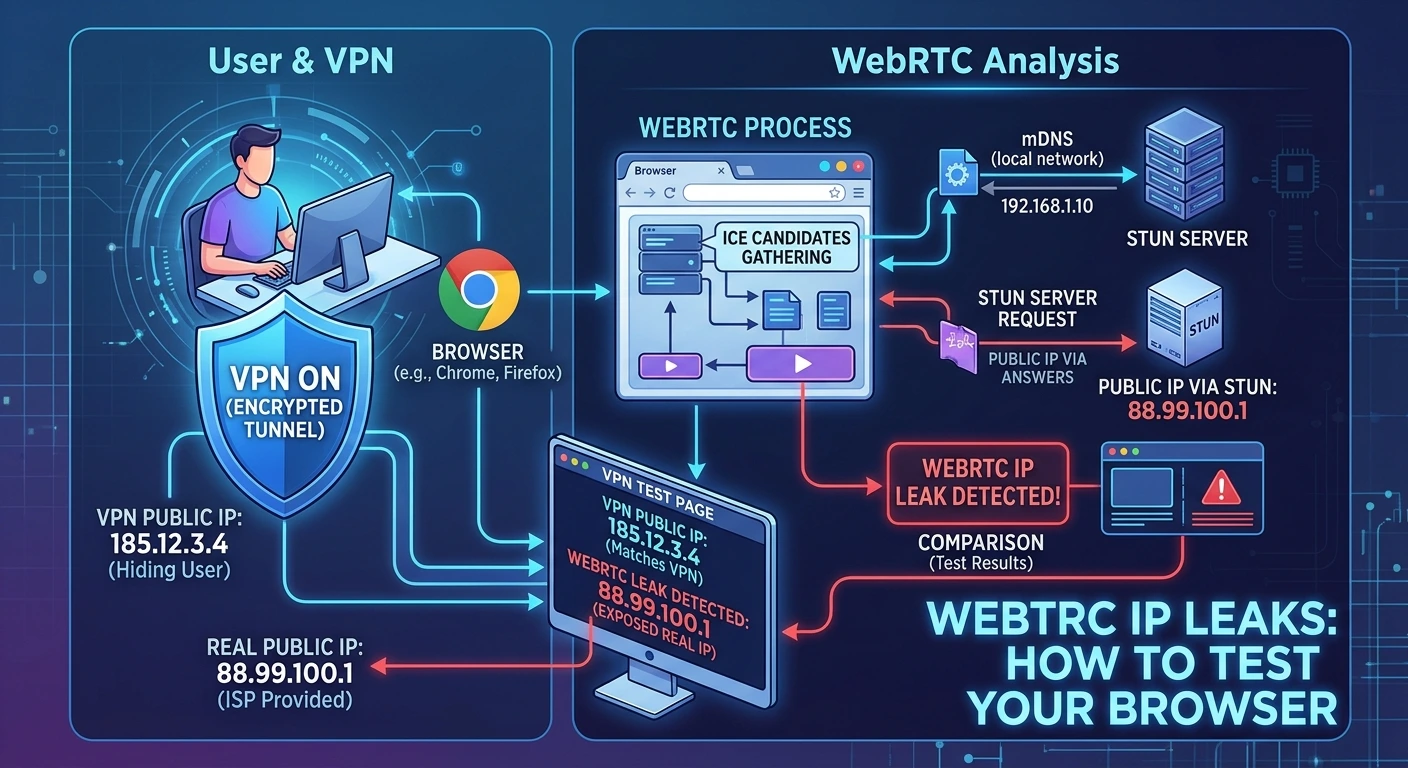
WebRTC enables real-time audio, video and peer-to-peer communication in the browser. During connection setup, ICE gathers candidate network paths. Depending on browser policy and network configuration, candidates may include host, server-reflexive or relay addresses.
What a WebRTC test observes
A browser test can create an RTCPeerConnection, request ICE gathering and inspect the candidate strings generated by that browser. A server-reflexive candidate may reveal the public address observed by a STUN server. Host candidates may be private addresses or mDNS names such as random-name.local.
How to interpret the result
Compare public ICE candidates with the public IP seen by the same browser when it loads the DI VPN site. If a candidate contains a different public address, investigate whether WebRTC traffic bypassed the intended tunnel. A candidate may belong to a legitimate relay or a separately routed network; the difference is a warning signal, not automatic proof of a compromise.
Why mDNS matters
Modern browsers may replace local IP addresses in host candidates with mDNS hostnames. A website cannot resolve those names into the visitor's local address. A report should identify mDNS separately and must not classify the hostname as a public IP leak.
What “no candidates” means
No public candidate may mean the browser hid local addresses, the STUN request failed, UDP was blocked, or the candidate gathering did not complete. It is an inconclusive observation, not a proof that every application is protected.
Test on DI VPN
Connect the DI VPN extension in Chrome, open the first-party WebRTC Leak Guard in the same profile and run the test. The page compares public candidates with the request address observed by DI VPN and, when available, reads the extension's WebRTC policy. It does not save the result as account history.
Technical background: RFC 8828 — WebRTC IP Address Privacy and MDN RTCPeerConnection.